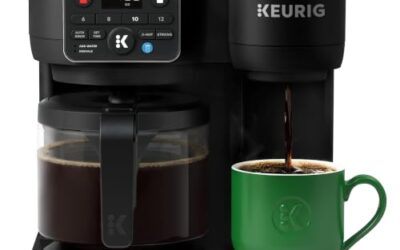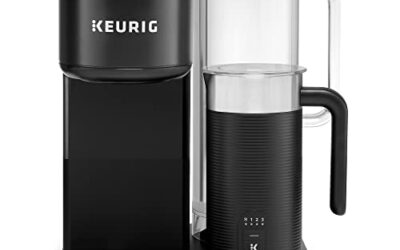

If your Keurig says “Add Water” while its reservoir looks full, the machine may not be detecting water correctly. A tank that is not seated, a stuck float, debris, or an internal sensor problem can interrupt brewing.
Start with simple checks before trying a reset or contacting support. For general model and format context, see our Keurig coffee maker guide.
Water-level detection varies by Keurig model, so consult your manual before removing parts or trying model-specific steps. The checks below avoid assuming every reservoir uses the same sensor design.
1. Reseat the reservoir and check its fit
Turn the brewer off and remove the reservoir if your model allows it. Refill to the marked maximum line, then set the tank back in place without forcing it.
A tank that sits crooked or misses its connection point may not register properly. Check for trapped packaging, grime, or a loose-fitting lid, and confirm the reservoir rests securely against the brewer.
2. Check the water-level float
Some reservoirs use a float to indicate water level. If you can see one, look for an obvious obstruction or buildup that could prevent it from moving freely.
With the reservoir removed, rinse it using warm water and gently move an accessible float. Do not pry it loose or disassemble a sealed tank; use your manual for model-specific cleaning instructions.
3. Clean reservoir contact areas
Mineral deposits or residue around the tank’s base and the brewer’s matching contact area can interfere with proper seating. Wipe accessible surfaces with a soft, damp cloth, then dry them before reattaching the reservoir.
Keep water out of the brewer’s electrical areas, and avoid abrasive pads or cleaners unless the manual specifically permits them. Cleaning the accessible surfaces is a low-risk check, not proof that a sensor has failed.
4. Restart the brewer safely
After reseating the tank, switch the brewer off and unplug it. Wait briefly, reconnect power, and turn it on; this can clear a temporary control-state issue, though it cannot repair a mechanical fault.
Follow your model’s manual if it gives a different restart procedure. Never open the machine or handle internal wiring while it is plugged in, and stop if you notice leakage or damaged components.
5. Consider scale and cleaning needs
Mineral scale forms as water leaves deposits inside a brewer. Descaling may help with flow or heating problems, but an “Add Water” message alone does not establish that scale caused the fault.
Use only the descaling method and schedule specified for your model. For a broader maintenance routine, our coffee maker guide offers category context, while your Keurig manual remains the authority for exact instructions.
6. Decide when to contact support
If the message remains after the tank is correctly seated and accessible areas are clean, an internal sensor or other component may need attention. The exact cause cannot be confirmed without model-specific diagnosis.
Note your brewer’s model number, the steps already tried, and whether the machine leaks or displays other warnings. Contact Keurig support or an authorized service option before attempting internal repairs, especially if warranty coverage may apply.
Why you should trust us
We separate general troubleshooting guidance from model-specific instructions because Keurig designs and controls can differ. This guide does not claim hands-on diagnosis or identify a single cause without evidence from your machine.
We prioritize reversible checks, clear limits, and safe escalation. Use the manual for your exact brewer before cleaning, descaling, or removing components, and contact support when basic checks do not resolve the warning.
Final thoughts
When a Keurig says “Add Water” with a full tank, first reseat the reservoir, inspect any visible float, and clean accessible contact areas. Restart only after reconnecting the tank, and follow your model’s manual throughout.
If those steps fail, avoid guessing at internal repairs. A persistent warning may require support, and model details help narrow the next step; our pod coffee machine category provides broader equipment context, not a substitute for service guidance.
FAQs
Why does my Keurig say add water when full?
The reservoir may not be seated correctly, a visible float may be obstructed, or the brewer may not be detecting water. Check those accessible areas first; persistent errors may need model-specific support.
Can a stuck float cause the Add Water warning?
It can, on models that use a float to indicate reservoir level. Inspect only visible parts, rinse the tank as directed, and do not force or dismantle the float.
Should I unplug my Keurig to reset it?
A brief power interruption may clear a temporary control issue, but it will not fix a damaged sensor or mechanical problem. Follow the restart instructions for your specific model.
Can descaling fix a full-water warning?
Descaling addresses mineral buildup inside the brewer, but the warning by itself does not prove scale is responsible. Descale according to the manual if maintenance is due, then reassess the message.
How do I clean the reservoir safely?
Remove and rinse the reservoir if your model permits, then wipe accessible contact areas with a soft, damp cloth. Avoid immersing the brewer or wetting electrical areas, and follow the manual’s cleaning directions.
Can I keep brewing if the warning stays on?
Do not bypass the warning or run the brewer contrary to its instructions. If correct seating and basic cleaning do not clear the message, stop and contact support for model-specific advice.
Does this problem mean my Keurig is broken?
Not necessarily. A loose reservoir or obstruction may explain the warning, but a persistent message can indicate a fault that needs diagnosis; the alert alone cannot identify which cause applies.
Where can I find instructions for my Keurig model?
Check the model number and consult its owner’s manual or Keurig support for exact cleaning and reset steps. Our single-serve coffee maker category helps explain the wider brewer type, but not model-specific repairs.